 Doc Summary

Key Features & Benefits #
OneSystemCRM webinar funnels are built to streamline setup while giving you powerful engagement tools.
-
On-Demand Webinars → Pre-recorded content that can be accessed anytime, perfect for evergreen lead generation.
-
Live Webinars → Host real-time sessions with scheduled dates/times and live interaction.
-
Template Selection → Pre-built registration, confirmation, and broadcast pages to launch faster.
-
Automated Workflows & Reminders → Pre-configured automation recipes for email and SMS reminders and follow-ups, reducing manual work.
Getting Started #
Accessing Webinar Creation #
-
Login to your OneSystemCRM account: onesystemcrm.com
-
Navigate to Sites in the left sidebar
-
Click Webinars
-
Select New Webinar Funnel
Initial Setup #
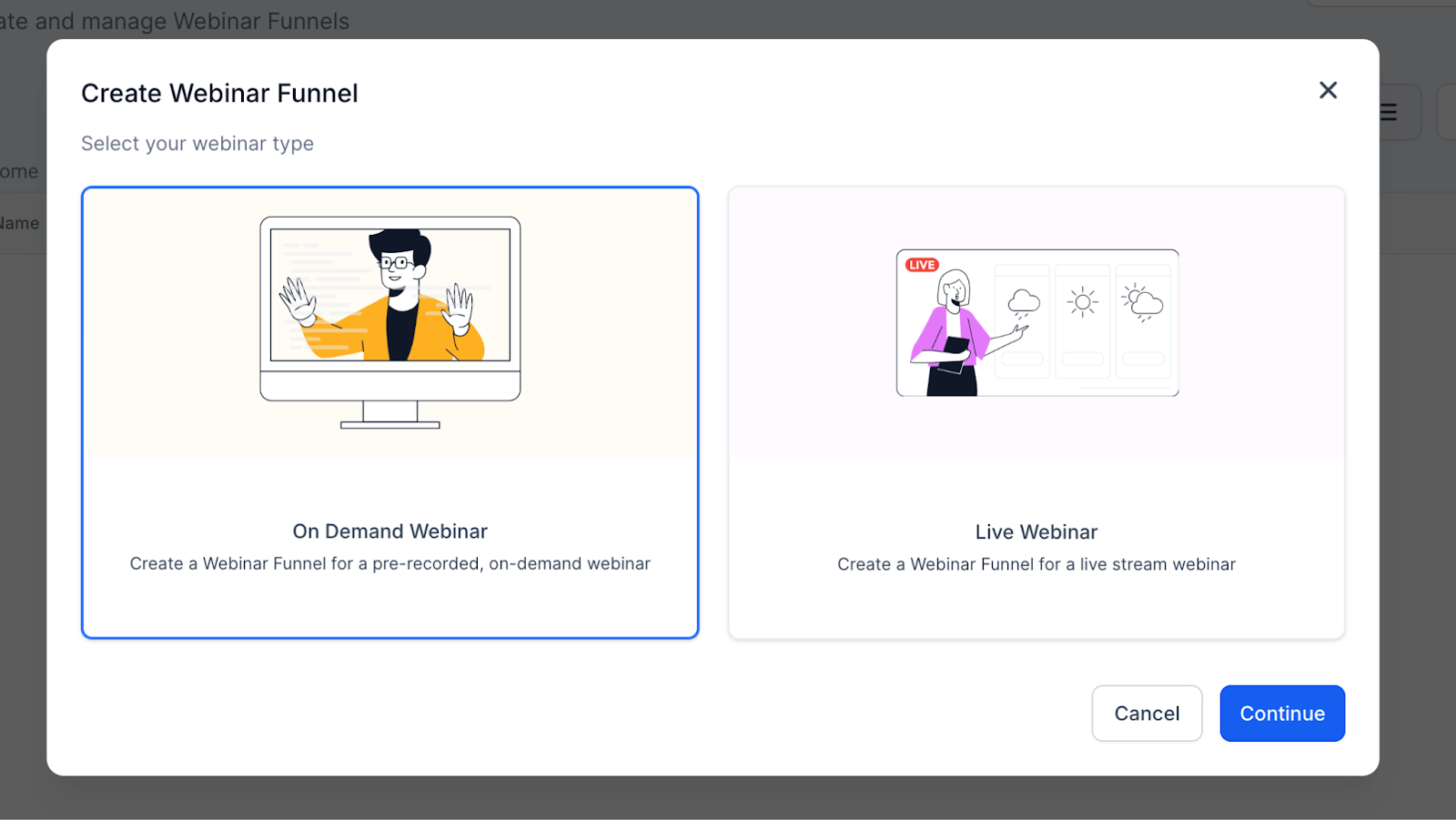
Choose your webinar type:
-
On Demand Webinar → Pre-recorded, watch anytime
-
Live Webinar → Scheduled event with a set date/time
Live Webinars #
Overview #
Live webinars are real-time presentations where attendees join at a specific date and time.
4-Step Creation Process #
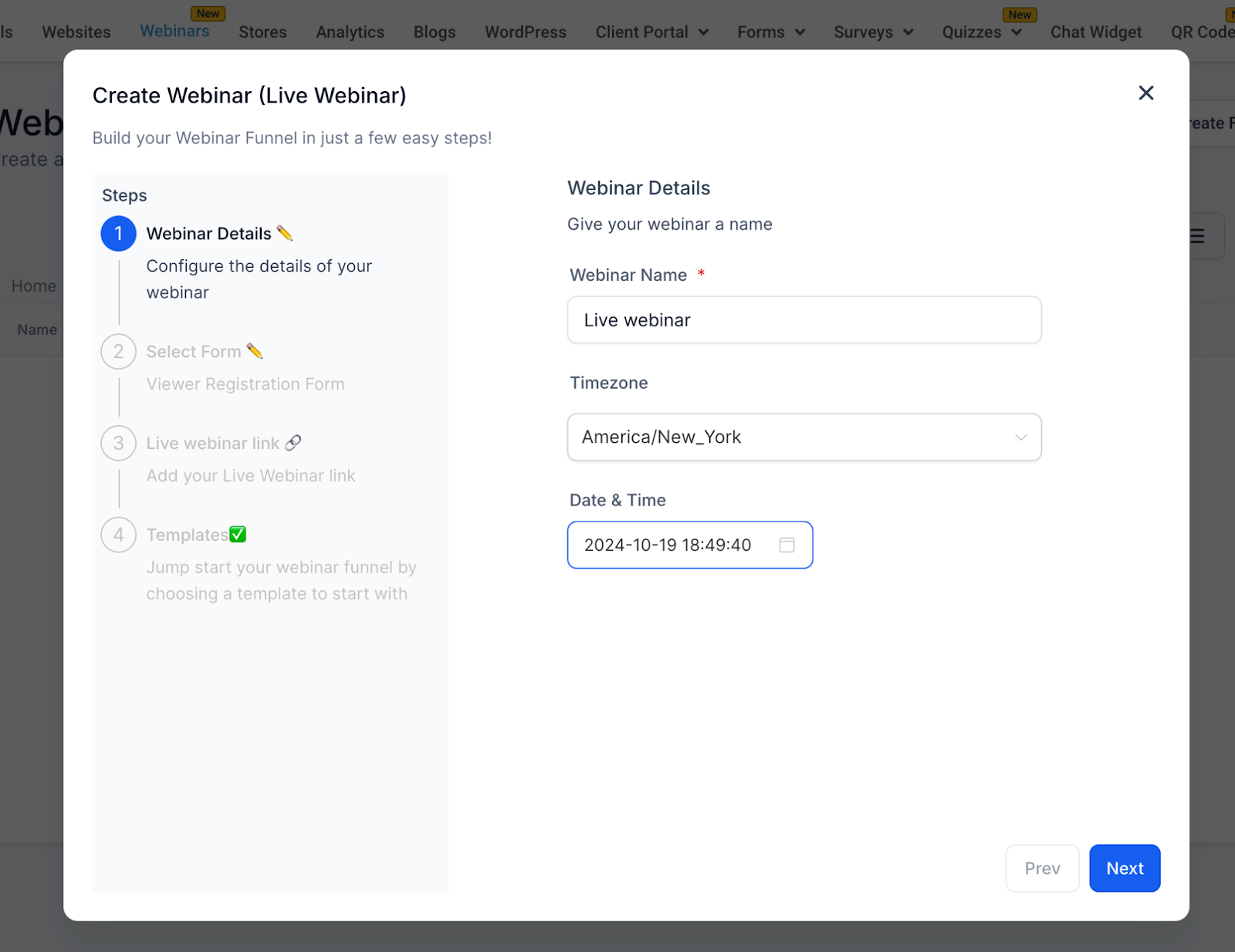
Step 1: Webinar Details #
-
Webinar Name (Required) — Example: Digital Marketing Mastery Webinar
-
Timezone (Required) — Default: America/New_York (changeable)
-
Date (Required) — Pick a future date
-
Time (Required) — Example: 2:00 PM
Step 2: Select Form #
Attendees register via forms created in Sites > Forms.
-
Dropdown Options → Displays all available forms
-
Custom Forms → Create your own with fields like name, email, phone, etc.
-
Lead Capture → Forms sync with your CRM for tracking and automations
-
Automation Trigger → Form submissions also trigger reminder and follow-up workflows (see Automations & Reminders)
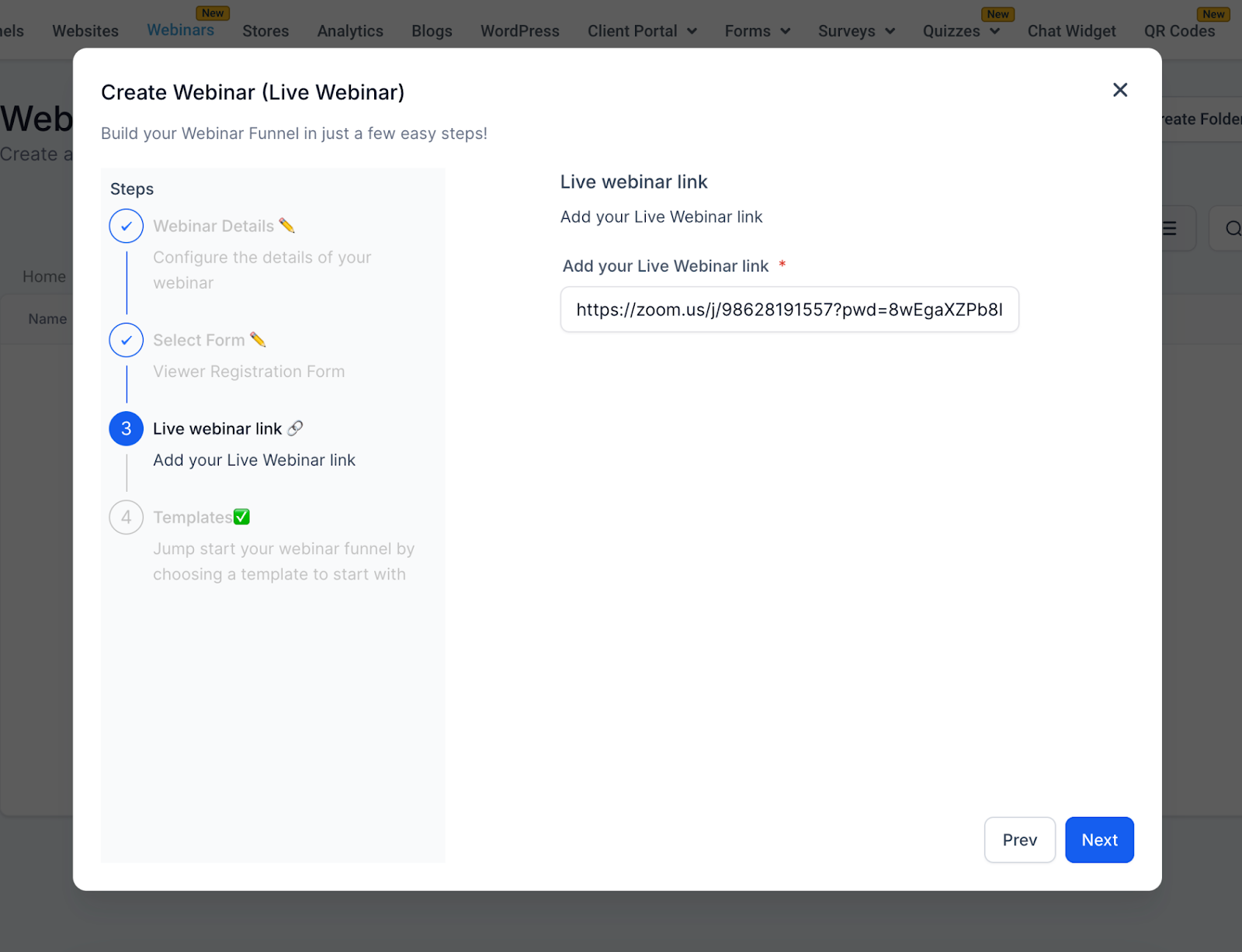
Step 3: Live Webinar Link #
Enter your streaming link:
-
Zoom →
https://zoom.us/j/123456789 -
YouTube Live →
https://youtube.com/watch?v=ABC123
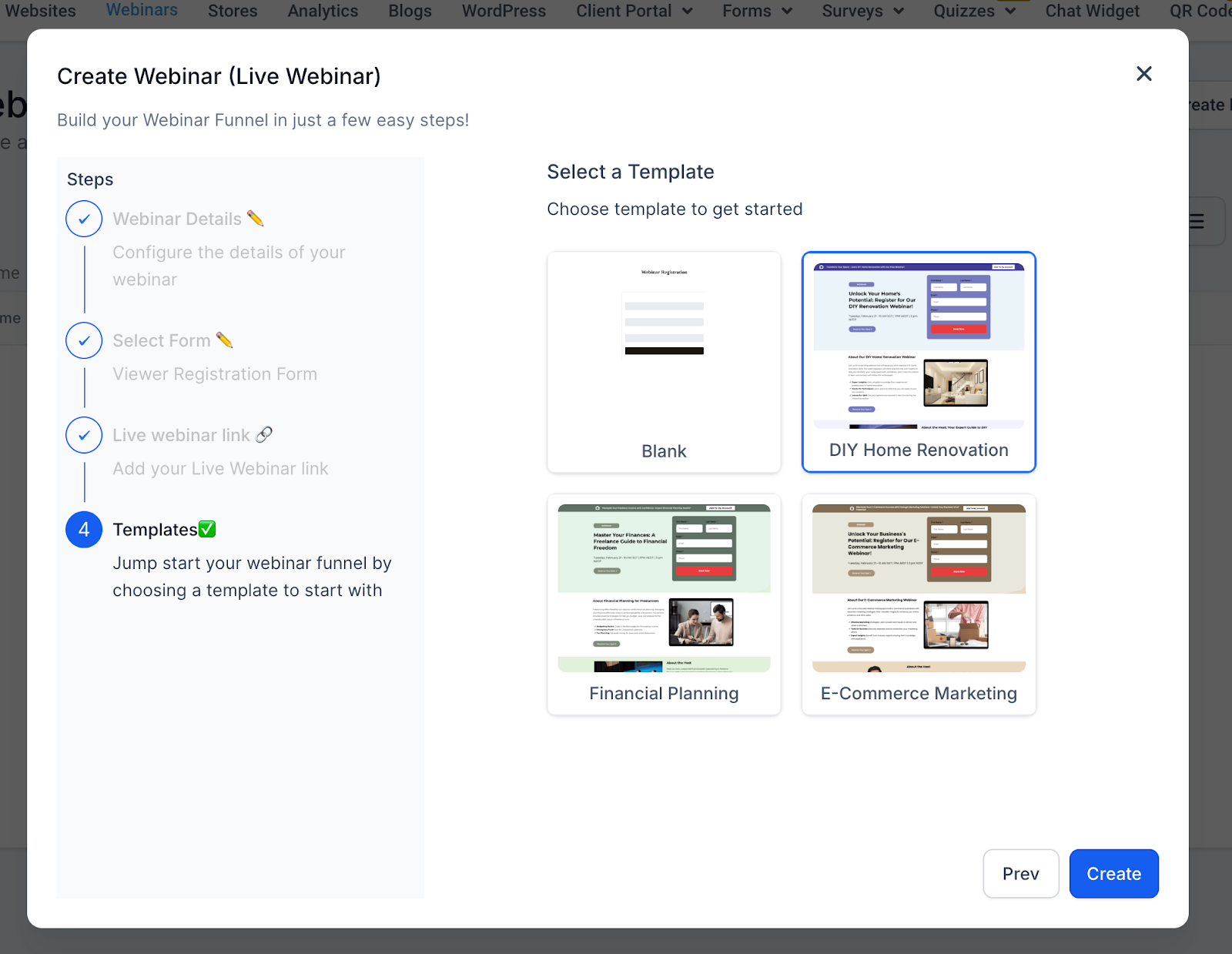
Step 4: Templates #
Choose from pre-designed funnel templates, such as:
-
Blank Live
-
E-Commerce Marketing Live
-
Financial Planning Live
-
DIY Home Remodel Live
On Demand Webinars #
Overview #
On-Demand webinars are pre-recorded sessions that attendees can access anytime after registering.
4-Step Creation Process #
Step 1: Webinar Details #
-
Webinar Name (Required) — Example: Content Marketing Mastery – On Demand
-
Note → No timezone, date, or time needed.
Step 2: Select Form #
Same as Live Webinars:
-
Choose a form from Sites > Forms
-
Default Example: Marketing Form – Claim Offer
-
Customizable fields to capture the data you need
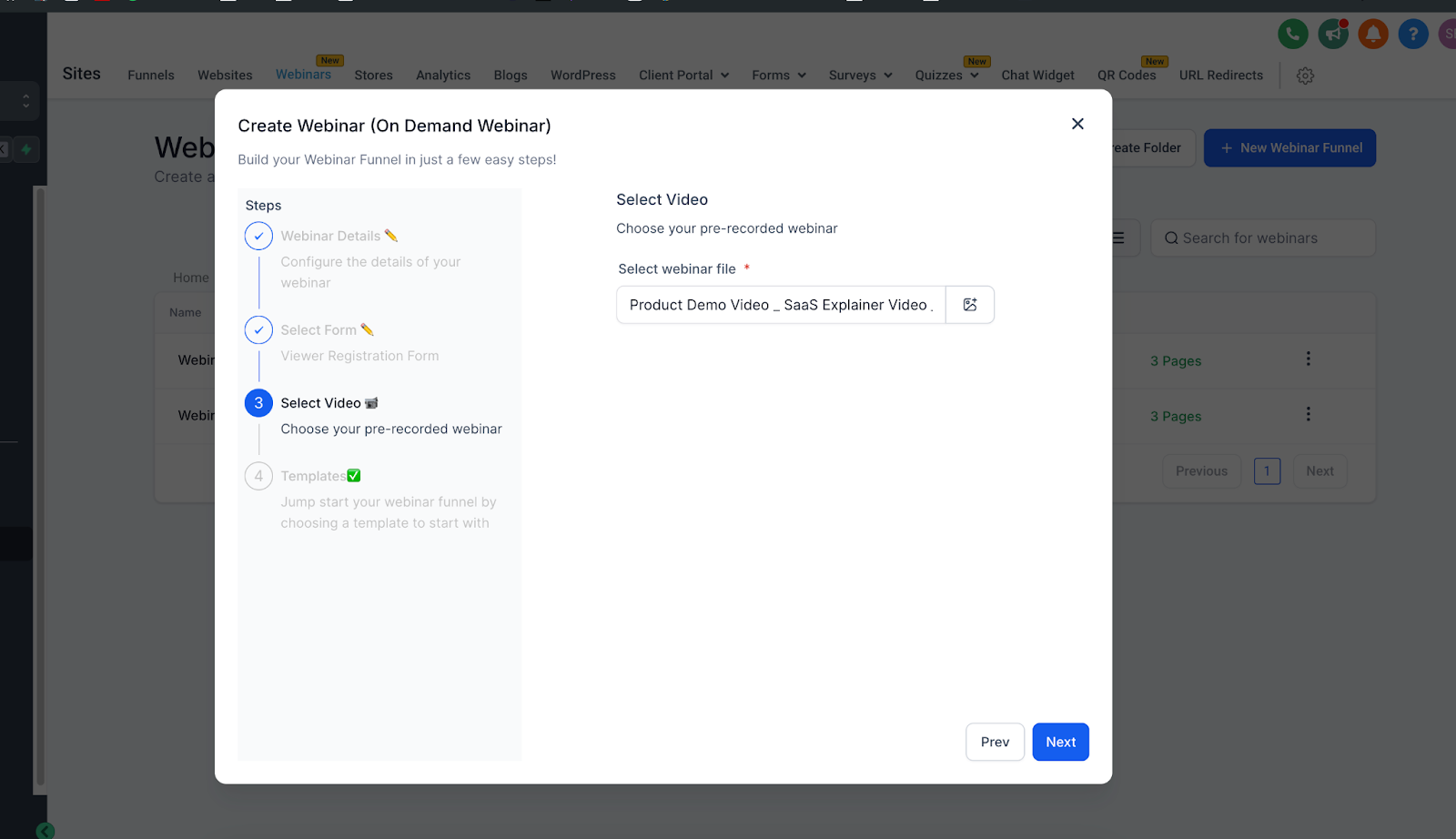
Step 3: Select Video #
Upload or select a pre-recorded video:
-
Supported formats: MP4, MOV, AVI, etc.
-
Upload from your computer or select from the media library
-
Required to proceed
Step 4: Templates #
Same template library as Live Webinars, optimized for on-demand viewing.
Automations & Reminders #
One of the most powerful features of webinar funnels is automation.
-
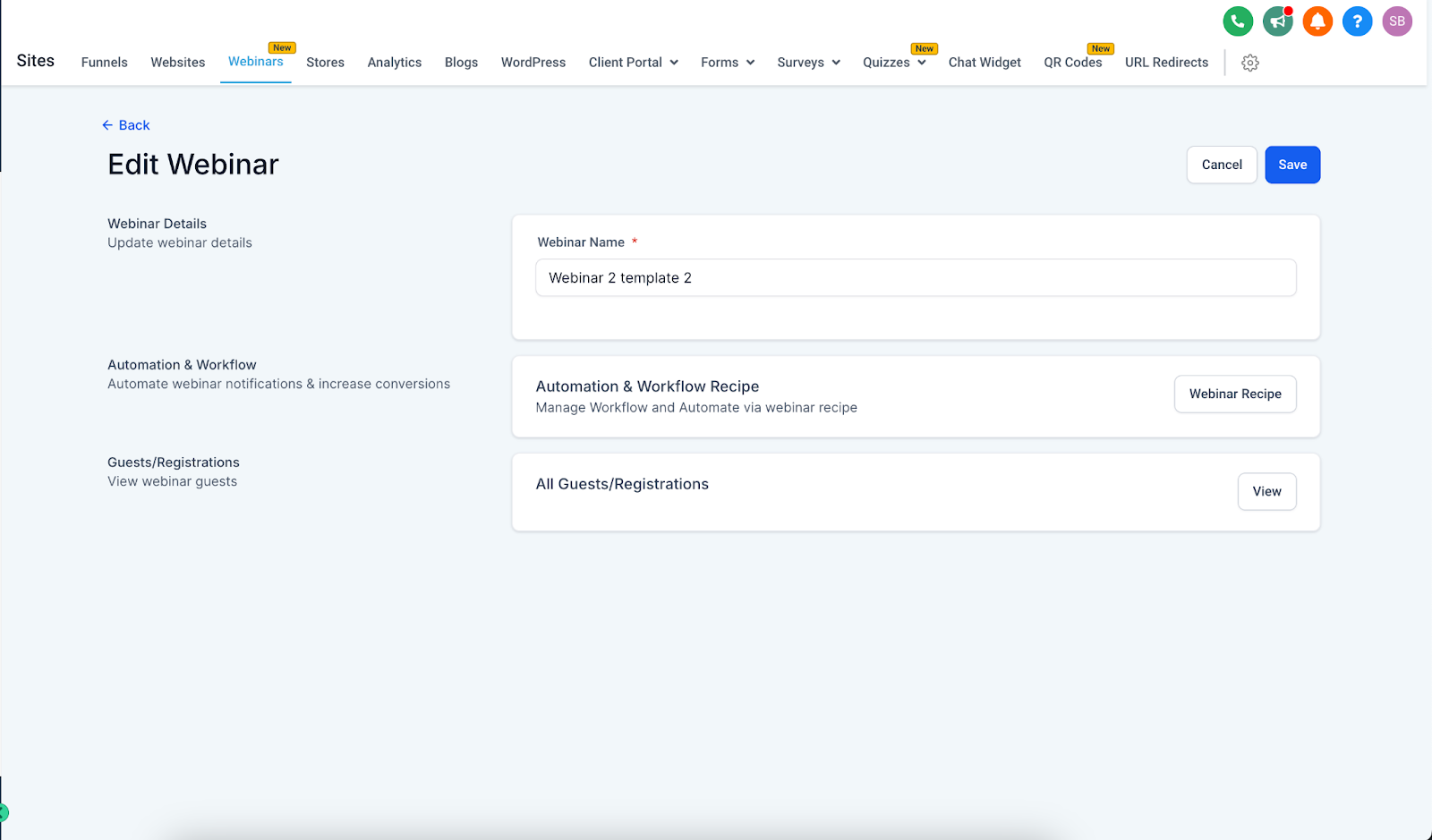
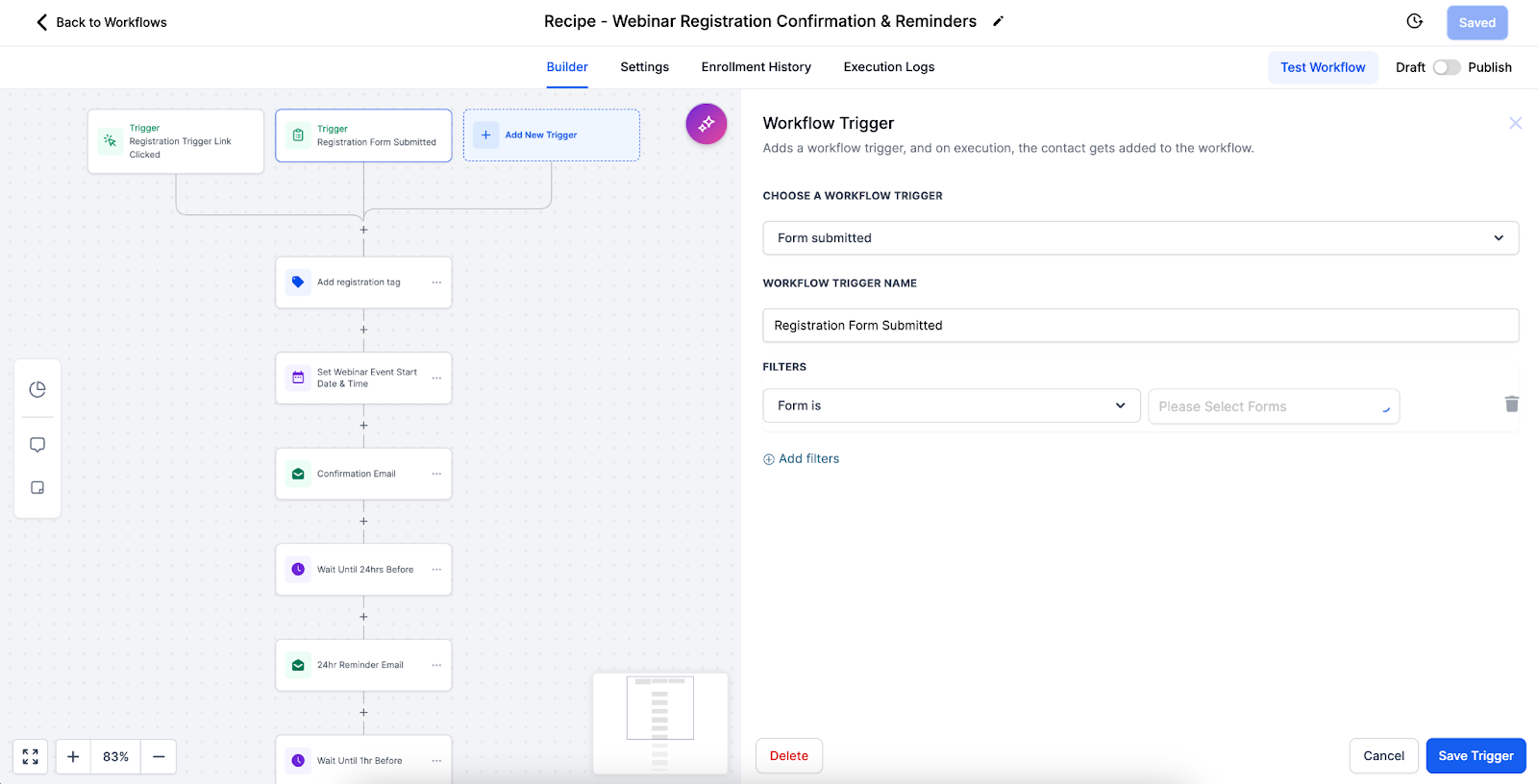
Pre-Built Workflow Recipe → Each webinar funnel comes with an automation recipe for reminders and follow-ups.
-
Triggers → Registrations (form submissions) automatically start the workflow.
-
Reminders → Email/SMS reminders can be scheduled for Live Webinars (for example, 24 hours before, 1 hour before, 10 minutes before).
-
Follow-Ups → Post-webinar workflows send thank-you emails, replay links, and nurture campaigns.
-
Customization → You can edit workflows via the three-dot menu on your webinar funnel to adjust timing, personalize messages, or add extra steps.
Pro Tip: Align reminder timings with your audience’s habits (for example, B2B audiences respond better to morning reminders, while B2C may need evening prompts).
Best Practices #
Live Webinars #
-
Test setup before the event
-
Schedule with audience timezones in mind
-
Promote early and often
-
Have a backup plan for technical issues
-
Encourage interaction (chat, polls, Q&A)
On Demand Webinars #
-
Use high-quality recordings
-
Keep videos concise (30–60 minutes)
-
Structure content for self-paced learning
-
Keep your media library organized
-
Refresh content periodically
Troubleshooting #
Live Webinars #
-
Link not working → Verify format & test before event
-
Timezone confusion → Clearly display timezone on registration and confirmation pages
On Demand Webinars #
-
Upload fails → Check format, file size, and internet connection
-
Poor video quality → Upload high-resolution versions
General #
-
Form not capturing leads → Test form integration with CRM
-
Template not loading → Refresh or check connection
Conclusion #
OneSystemCRM webinars let you deliver content live or on-demand, giving you flexibility to match your audience and strategy:
-
Live → Real-time engagement and interaction
-
On Demand → Evergreen, scalable, and flexible access
With built-in templates and automation workflows, you can launch webinars quickly while ensuring attendees receive timely reminders, seamless confirmations, and personalized follow-ups — helping you maximize engagement and conversions with minimal effort.


